Deutsch
  English
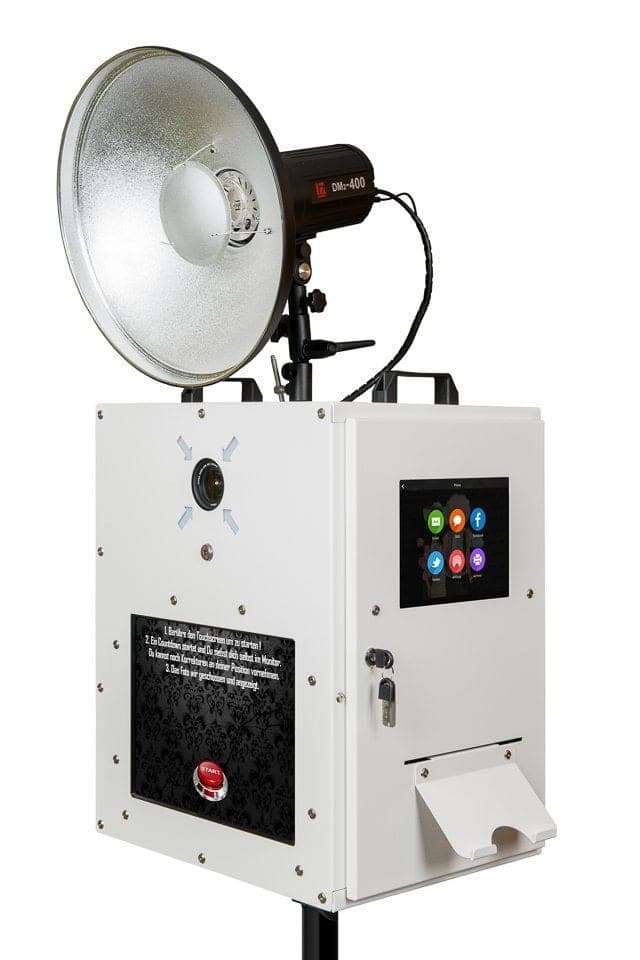
Every buyer of a Photobooth Ready receives a handout for their booth from us. It contains the assembly guide, the operating instructions and a complete explanation of the dslrBooth Professional software, button by button.
What is in the handout?
- Assembly: step by step from the transport case to the ready-to-run booth, with a connection overview for camera, flash, printer and power.
- Operation: start screen, layouts, printing and sharing from the operator’s and from the guests’ point of view.
- Software: every dslrBooth setting is explained so that you can look up a specific function quickly.
- Camera settings: proven values for aperture, ISO, shutter speed and flash power from our own events.
- Troubleshooting: typical faults and their solutions, for example a black monitor or a cropped print layout.
How do you get the latest version?
We keep the handout up to date. With your purchase you receive a link through which you can view and download the latest version at any time. The plain assembly guides for Ready, Natty, Profy and Selphy are also publicly available as PDFs on the downloads page. Answers to the most frequent questions from the handout are also in the help centre.
The complete handout is reserved for owners of a fexon photo booth and is not published openly. Please note that the handout is written in German.
Who is the handout for?
For rental operators briefing a member of staff, the handout is the training document: set-up, switching on, changing the layout, changing media, dismantling. For photographers the chapters on camera settings and flash power are of most interest, because they are tuned to operation in the booth with fixed distance and studio flash. For companies that pass the booth between colleagues, a printed copy in the transport case is useful.
Is there a handout for the Natty, Profy and Mirror too?
Assembly guides are available as PDFs for the Ready, Natty, Profy and Selphy. The software chapters of the handout apply to all systems, because dslrBooth runs on all of them; the camera settings differ slightly depending on flash and distance and are described per model in the help centre.
Updated: