Deutsch
  English
Our photo booths from Greiz have shipped with dslrBooth by Lumasoft for more than ten years; alongside it, Breeze DSLR Remote Pro and Darkroom Booth are the most widespread programs for Windows photo booths with a DSLR. All three run on the i5 mini PC of the Photobooth Ready, Profy and Mirror and on the Surface Pro of the Natty. This guide compares the three programs by features, operation, licensing model and camera support, without quoting third-party prices because these change frequently.
What matters in photo booth software?
Five points decide for event use: camera control (live view, flash synchronisation), the layout editor for print templates, sharing functions (e-mail, QR code, online gallery), the guest interface (start screen, voice prompts, touch) and reliability over hours of operation. Added to that is the question of whether accessories such as buzzer, LED ring and printer work without extra effort.
dslrBooth (Lumasoft)
dslrBooth is the software we ship our systems with and which our fexobox rental fleet uses in continuous service. The developer Lumasoft now lists the Windows program as LumaBooth for Windows (formerly dslrBooth); features and licence remain the same (as of October 2026).
- Modes: photo, video booth, boomerang and GIF, glam booth with beauty filter, mirror booth animations, green screen and AI background removal without green fabric.
- Layouts: integrated template editor with templates, logos and text; freely designed start screens.
- Sharing: e-mail, SMS, QR code, AirDrop, online albums via fotoshare.co; the booth needs internet on site for this.
- Control: guests control the booth from their smartphone without an app, operators via the Booth Copilot companion app with live statistics.
- Licence: the Professional licence included with our complete systems is permanent, updates are included in the first year; after that an update subscription is optional. The licence may be installed on two computers, see FAQ maximum number of activations.
All features in detail are on the software page.
Breeze DSLR Remote Pro
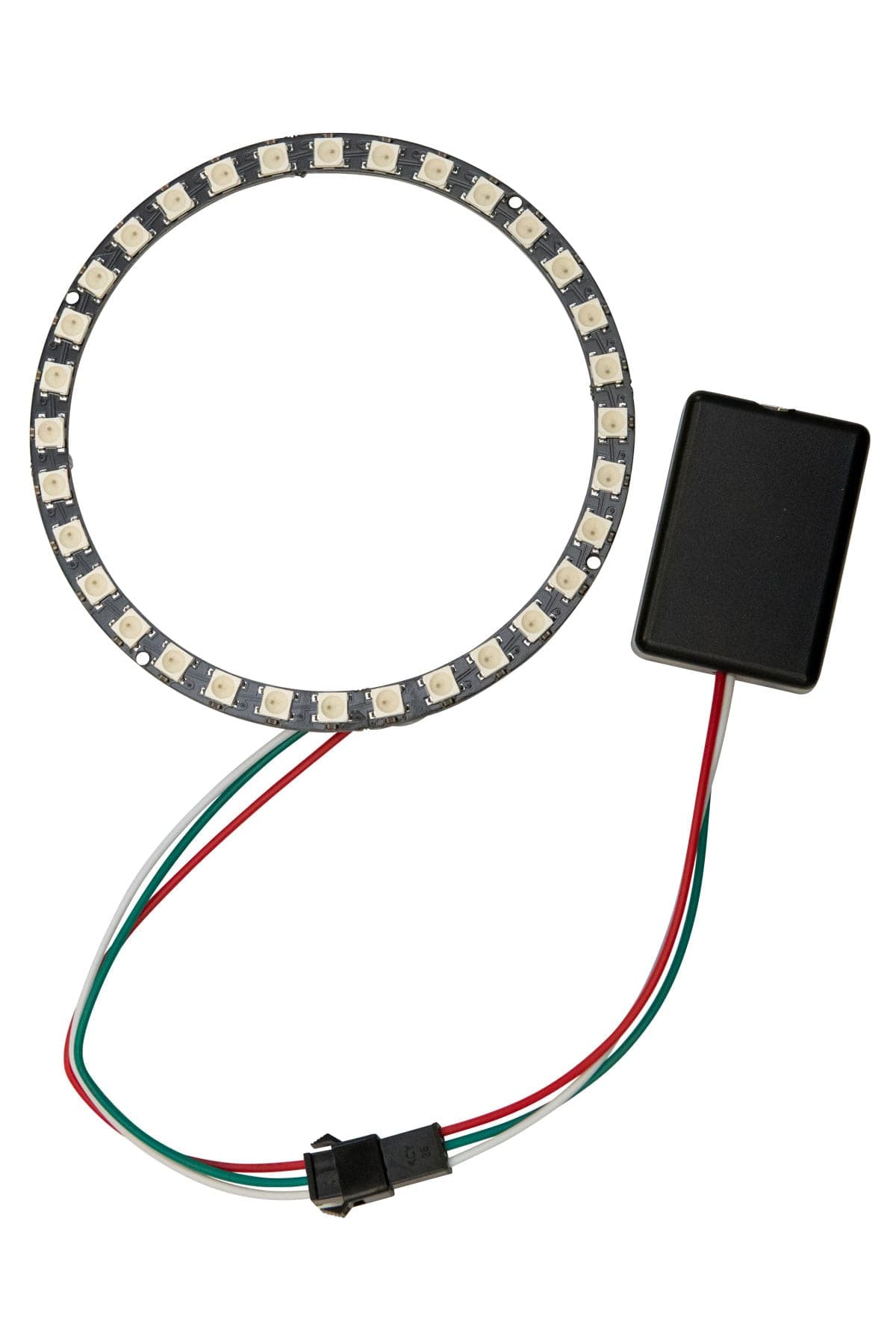
Breeze Systems from the UK offers DSLR Remote Pro, a solution established for many years and known above all for its in-depth camera control. It is aimed at users who want to configure every setting themselves and offers a photo booth mode, green screen, video and sharing via add-on modules. Getting started is more technical than with dslrBooth, and the guest interface is designed with your own screen graphics. We provide a matching driver for our LED ring.
Darkroom Booth
Darkroom Booth comes from the USA and is widespread in that market. The program supports DSLRs and webcams, offers a layout editor, green screen, social sharing and multi-booth management, and is sold as a subscription. The interface is designed for attended operation by a member of staff; self-service by guests needs some set-up. There is also a driver for our LED ring for Darkroom Booth 3.
The three programs compared
| Criterion | dslrBooth | Breeze DSLR Remote Pro | Darkroom Booth |
|---|---|---|---|
| Operating system | Windows (Apple and Android versions as LumaBooth) | Windows | Windows |
| Cameras | Canon, Nikon, Sony DSLR and mirrorless, webcams | Canon, Nikon (very detailed control) | Canon, Nikon, webcams |
| Green screen / AI removal | yes / yes | yes / depends on version | yes / depends on version |
| Video, GIF, boomerang | yes | with add-on modules | yes |
| Guest control via smartphone | yes, without an app | no | depends on version |
| Online gallery | fotoshare.co integrated | via third parties | own solution |
| fexon LED ring | driver available | driver available | driver available |
| Pre-installed on fexon booths | yes | no, on request | no, on request |
The information on Breeze and Darkroom is based on the developers’ public product descriptions (as of October 2026) and may change with new versions; the developers’ websites are authoritative.
Why do we ship dslrBooth?
Three reasons from practice: first, guests operate the booth without instruction because the start screen and the process are self-explanatory. Second, rental operators manage with the template editor and do not need a graphics program. Third, the software has proven stable in our own rental business with many events per season. If you prefer Breeze or Darkroom, you can order the booth as a housing without electronics (Natty, Selphy) or install the software yourself; the LED ring works with all three programs.
Which cameras are supported?
dslrBooth works with the Canon EOS 2000D and EOS 200D from our configurator and with many other Canon and Nikon cameras; a list is on the page Supported cameras. The best way to check whether an existing camera is suitable is the free trial version of the respective program.
How do you switch or reinstall?
The software is stored on the booth computer; the licence is activated via the developer account. When replacing the computer, deactivate the old installation and activate the new one, see FAQ renew licence. The drivers for the LED ring are in the FAQ LED ring drivers and on the downloads page.
What does a typical workflow in dslrBooth look like?
Before the event the operator creates a profile: layout, start screen, number of photos, print and sharing options. At the venue the software starts automatically in guest mode. Guests touch the screen or press the buzzer, see the countdown with live view, and after the shot the finished layout appears with the buttons print, e-mail, QR code. All shots are saved as single images and as the finished layout in the event folder; the statistics show at the end how many photos were taken, printed and shared.
What about Mac and iPad?
Breeze and Darkroom are Windows-only programs. Lumasoft additionally offers LumaBooth versions for Apple devices and Android that work with the built-in cameras or via connection. Our photo booths are designed around Windows computers because DSLRs, dye-sublimation printers and the LED ring are most reliably connected there; the Apple version is relevant for the iPad sharing station in the kiosk, not for the booth itself.
Conclusion
dslrBooth is the software with the least set-up effort and the widest range of functions for event use, which is why we ship it pre-installed. Breeze is the choice for users with high demands on camera control, Darkroom for operators who manage several booths centrally. We provide LED ring drivers for all three. We answer software questions before purchase via the enquiry form.
Updated: